The Curves library finds points on smooth Bezier Curves and Splines. Give it a few points, and it
tells you where the curve goes between them. Use it for easing animations, drawing paths, moving things
along a route, or anything else that should bend smoothly instead of jumping in straight lines. (Actually that's a lie, you can use straight lines too.)
It is pure Elixir, with no dependencies, and fast: solving a point takes a fraction of a microsecond.
Install
def deps do
  [
    {:curves, "~> 1.0"}
  ]
end
Your first curve in two lines
curve = Curves.define_bezier(:ease_in_out)
Curves.Svg.save!(curve, "ease_in_out.svg")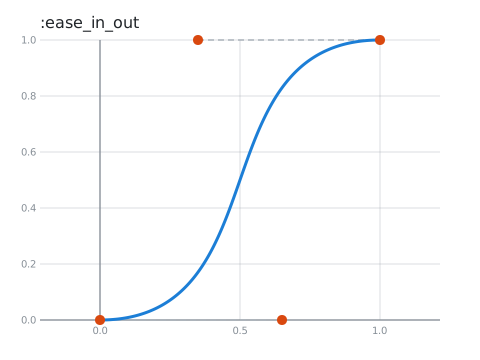
The blue line is the curve. The orange dots are the points that shape it: the curve starts at the first, ends at the last, and is pulled towards the ones in between.
Finding a point: t
Every curve travels from start to end, and t is the percentage of progress along the segment. t goes from 0.0 to 1.0.
and Curves.solve!/2 tells you where you are:
Curves.solve!(curve, 0.5)
#=> {0.5, 0.5}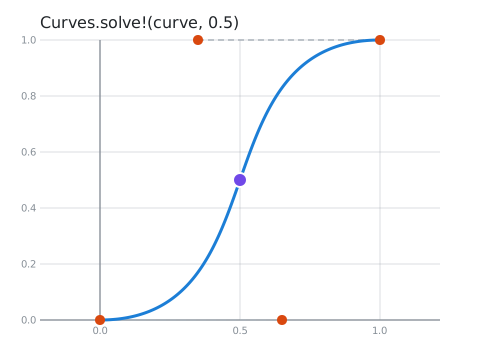
Longer paths: splines
A single Bezier curve has at most 4 points. For longer paths, a spline joins many curves into one. This one passes through every point you give it:
curve = Curves.define_catmull_rom([{0, 0}, {2, 3}, {4, 1}, {6, 4}, {8, 2}])
Curves.solve!(curve, 2.5)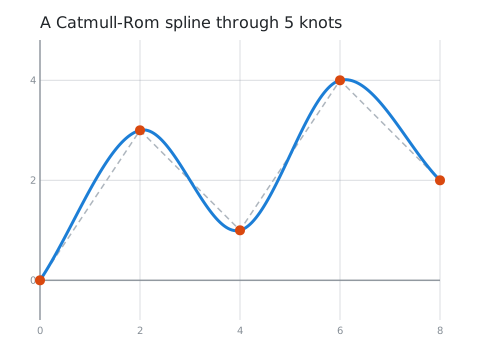
Where to next
The tutorial takes about 15 minutes and is full of pictures:
- Your first curve:
t,solve,take, and the ready-made curves. - Bezier curves: how control points shape a curve.
- Splines: polylines and the nine kinds of spline, and when to use each.
- Transforms and drawing: moving, scaling and rotating curves, and drawing them.
Not sure which curve you need? Choosing a curve compares them all, with real-world examples of where each one is used.
Prefer to play? Each chapter is also an interactive Livebook with sliders and animations; look for the "Run in Livebook" button on the interactive version of chapter 1.
The full API is in the Curves module.